Private beta
Build the matrix on the floorplan. Then commission on site.
Upload a floorplan, link devices to the matrix, and record site tests in the mobile app. Responsible persons sign off in the client portal.
MFA-ready accounts
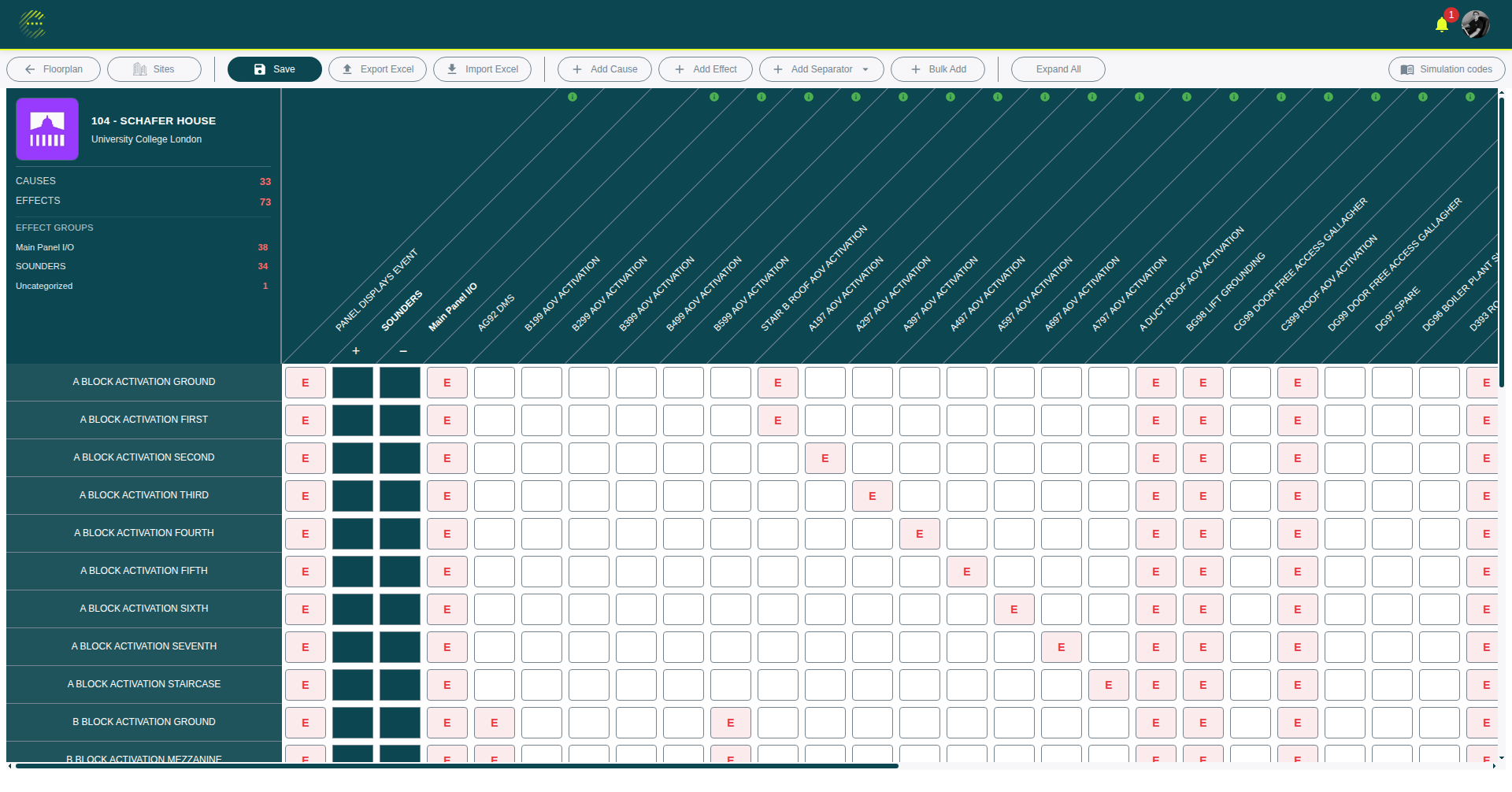
Cause and effect matrix
How the platform is used
One live matrix
Linked to floorplan devices
Site tests
Logged in the mobile app
Client sign-off
Portal for responsible persons
Matrix, floorplan, and the site record
Matrix and floorplan stay linked. Verification, RFIs, and the client portal sit on the same project record.
Cause and effect matrix
Build and validate matrices with virtualised tables, import, and export. One live source of truth instead of fragile spreadsheets.
Interactive floorplans
Upload PDF backgrounds, snap devices to the grid, map zones, and link placements directly to matrix rows.
Client portal
Invite stakeholders to a dedicated portal for dashboards, verification sign-off, and tiered access. No contractor-app login required.
Mobile verification
Run verification sessions on site with workflows, pass or fail logging, photos, and notes that stay on the project.
RFI management
Templates, status tracking, reminders, and client-facing forms. Keep RFIs out of email threads.
Access control
Organisation roles, MFA-ready accounts, encryption in transit and at rest, audit trails, and a scanned file-upload pipeline.
Three steps to a certificate
From floorplan upload to commissioning certificate.
01
Upload
Upload PDF or image floorplans as a background, or start from a blank canvas. Pan, zoom, and use the grid to place devices.
02
Map
Place outputs on floorplans, define zones, and edit the cause and effect matrix. Validate relationships before you go to site.
03
Commission
Walk the site with the mobile app, check devices, log faults, and generate the commissioning certificate from live project data.
Stop managing fire safety with spreadsheets.
One project record from design through commissioning. Matrices, floorplans, site tests, and sign-off stay together.
One matrix linked to devices on the floorplan
Site tests logged on the mobile app, not on paper
Full audit trail for compliance packs
Responsible persons sign off in the client portal
RFIs stay on the project instead of in email
Frequently asked questions
What is Cause and Effects?
What is a fire alarm cause and effect matrix?
Who is the platform built for?
How does the floorplan editor work?
Can I use it on site during commissioning?
Is there a client portal?
Does the platform support RFIs?
How do I get access?
Join the waitlist
We'll email you when access opens.
Already have access? Sign in